
Introduction
In today’s connected world, digital security tips are no longer optional. Every time you use a smartphone, laptop, or internet service, you share personal data. This data can include passwords, photos, bank details, and private messages. Because of this, cybercriminals are always looking for easy targets. Beginners and even intermediate users often believe they are too small to be attacked, but that is not true.
Digital security tips help you protect your online life in simple and practical ways. They focus on safe habits, smart tools, and clear awareness. You do not need to be a technical expert to stay secure. Instead, you need basic knowledge, consistency, and attention to detail. Small actions like using strong passwords or updating software can make a big difference.
Many people only think about security after something bad happens. For example, when an account gets hacked or money goes missing. However, prevention is always easier than recovery. Learning digital security tips early helps you avoid stress, financial loss, and privacy problems later.
This guide is written in simple English for beginners and intermediate readers. It explains what digital security is, why it matters, and how you can improve it step by step. Each section is practical, realistic, and easy to follow. By the end of this article, you will feel more confident about protecting your digital life and helping others do the same.
What Is Digital Security Tips?
Digital security tips are practical guidelines that help protect your digital devices, data, and online identity from threats. These threats can include hackers, malware, scams, data leaks, and unauthorized access. The goal is to reduce risks while using the internet, apps, and connected devices.
Digital security covers many areas. It includes password safety, device protection, network security, and online behavior. For example, using a strong password is a digital security tip. Avoiding suspicious emails is another one. Together, these actions create a safer digital environment.
Unlike complex cybersecurity systems used by large companies, digital security tips focus on everyday users. They are easy to understand and simple to apply. Anyone who uses email, social media, or online banking can benefit from them.
In short, digital security tips are about staying alert, using smart tools, and building good habits. They help you enjoy technology without putting your personal information at risk.
Why Is Digital Security Tips Important?
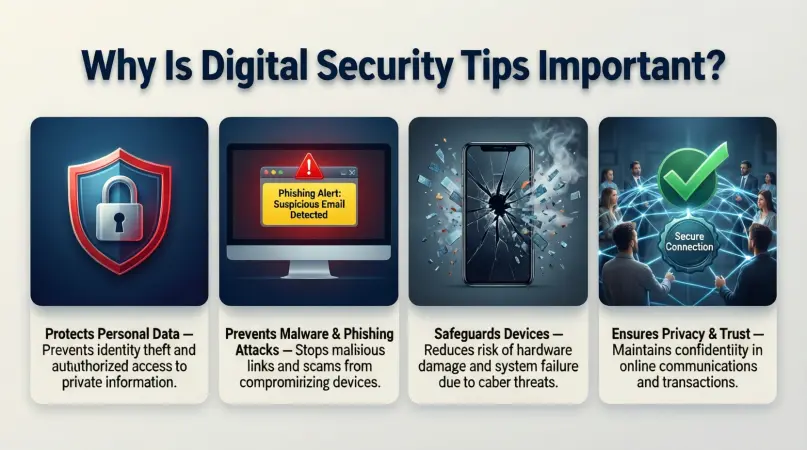
Digital security tips are important because digital threats are increasing every year. Cybercriminals are becoming smarter, faster, and more creative. They target individuals as often as businesses.
One major reason digital security matters is data protection. Your personal data has value. Hackers can sell it, misuse it, or use it to steal your identity. Without proper protection, even a single mistake can expose sensitive information.
Another reason is financial safety. Online shopping, banking, and payments are common today. Weak security can lead to unauthorized transactions or drained accounts. Digital security tips help reduce these risks.
Privacy is also a key concern. Many people share photos, messages, and personal thoughts online. Without security awareness, this content can be accessed or misused by others.
Finally, digital security tips help build confidence. When you know how to protect yourself, you feel more comfortable using technology. This confidence allows you to explore digital tools without fear.
Detailed Step-by-Step Guide
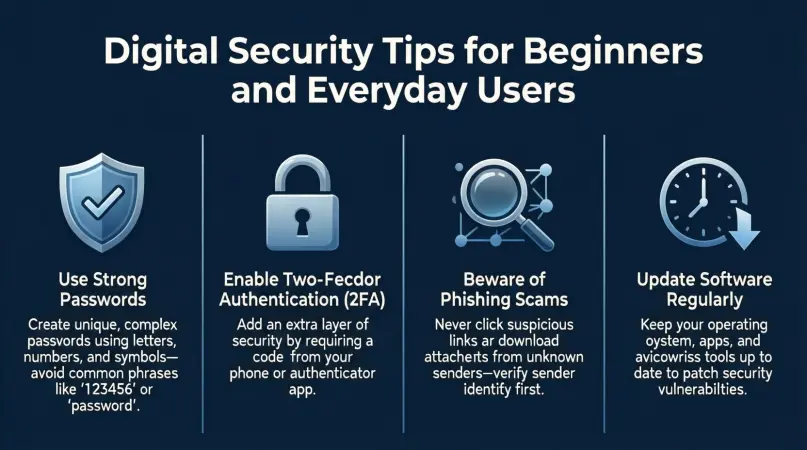
Step 1: Create Strong and Unique Passwords
Passwords are your first line of defense. Weak passwords are easy to guess or crack.
Follow these rules:
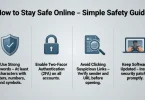
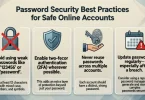
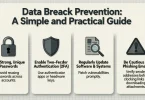
- Use at least twelve characters
- Mix letters, numbers, and symbols
- Avoid names, birthdays, or common words
- Use a different password for each account
A password manager can help store passwords safely and reduce stress.
Step 2: Enable Two-Factor Authentication
Two-factor authentication adds an extra layer of security. It requires a second step, such as a code sent to your phone.
Even if someone steals your password, they cannot access your account without the second factor. Enable this feature wherever possible, especially for email and banking accounts.
Step 3: Keep Software and Devices Updated
Updates are not just about new features. They often fix security problems.
Make sure to:
- Update your operating system
- Update apps regularly
- Enable automatic updates when possible
This simple habit blocks many common attacks.
Step 4: Secure Your Internet Connection
Public Wi-Fi networks are risky. Hackers can intercept data on unsecured networks.
To stay safe:
- Avoid sensitive tasks on public Wi-Fi
- Use a trusted home network
- Change default router passwords
- Use strong Wi-Fi encryption
A secure connection protects your data in transit.
Step 5: Be Careful with Emails and Messages
Phishing scams trick users into giving away information.
Warning signs include:
- Urgent language
- Unknown senders
- Strange links or attachments
- Requests for personal details
Always verify before clicking or replying.
Step 6: Use Reliable Security Software
Antivirus and security tools help detect threats.
Choose software that:
- Updates automatically
- Offers real-time protection
- Comes from a trusted source
This adds another layer of safety.
Step 7: Manage App Permissions
Apps often request access to data they do not need.
Review permissions regularly:
- Disable unnecessary access
- Remove unused apps
- Download apps only from official stores
This limits data exposure.
Step 8: Back Up Your Data Regularly
Backups protect you from data loss caused by malware or device failure.
Use:
- External drives
- Secure cloud storage
- Automatic backup schedules
With backups, recovery becomes easy.
Benefits of Digital Security Tips
- Protects personal and financial data
- Reduces risk of hacking and fraud
- Improves online privacy and control
- Builds confidence in using technology
- Saves time and money in the long run
- Helps avoid identity theft
- Encourages safe digital habits
Disadvantages / Risks
- Requires regular attention and updates
- Some tools may cost money
- Too many security steps can feel inconvenient
- False security confidence can lead to carelessness
- Poorly chosen tools may reduce performance
Common Mistakes to Avoid
Many users make simple mistakes that weaken their security. One common error is reusing the same password everywhere. This makes all accounts vulnerable if one is compromised.
Another mistake is ignoring updates. Delaying updates leaves known security holes open. Clicking unknown links is also risky, especially in emails or messages.
Some people trust every app or website without checking. This blind trust can lead to data leaks. Finally, many users believe security is only for experts. This mindset prevents them from learning basic digital security tips.
FAQs
What are digital security tips?
Digital security tips are simple actions that help protect your online data, devices, and identity from digital threats and misuse.
Are digital security tips difficult to follow?
No, most digital security tips are easy and require only small habit changes, such as updating software or using stronger passwords.
Do beginners really need digital security tips?
Yes, beginners are often targeted because they may lack awareness. Basic digital security tips offer strong protection.
Can free tools provide good digital security?
Many free tools offer solid protection if used correctly. However, users should choose trusted and well-reviewed options.
How often should I review my digital security settings?
It is best to review settings every few months or after installing new apps or devices.
Is digital security only about antivirus software?
No, digital security also includes behavior, awareness, passwords, network safety, and data backups.
Expert Tips & Bonus Points
Make digital security a routine, not a one-time task. Schedule monthly security checks for passwords, updates, and backups. Educate family members, especially children, about safe online behavior.
Use separate emails for important accounts and casual sign-ups. This reduces spam and risk. Also, log out from shared devices and avoid saving passwords on public computers.
Finally, stay informed. Digital threats change, and awareness is a powerful defense.
Conclusion
Digital security tips are essential in a world where technology touches every part of daily life. From communication to finance, our digital presence continues to grow. With this growth comes responsibility. Protecting your data, devices, and identity is no longer optional.
The good news is that digital security does not have to be complicated. Simple steps like strong passwords, updates, and careful online behavior create strong protection. These actions take little time but offer long-term benefits.